
Connecting BOL.com
How to connect your ChannelDock account with Bol.com
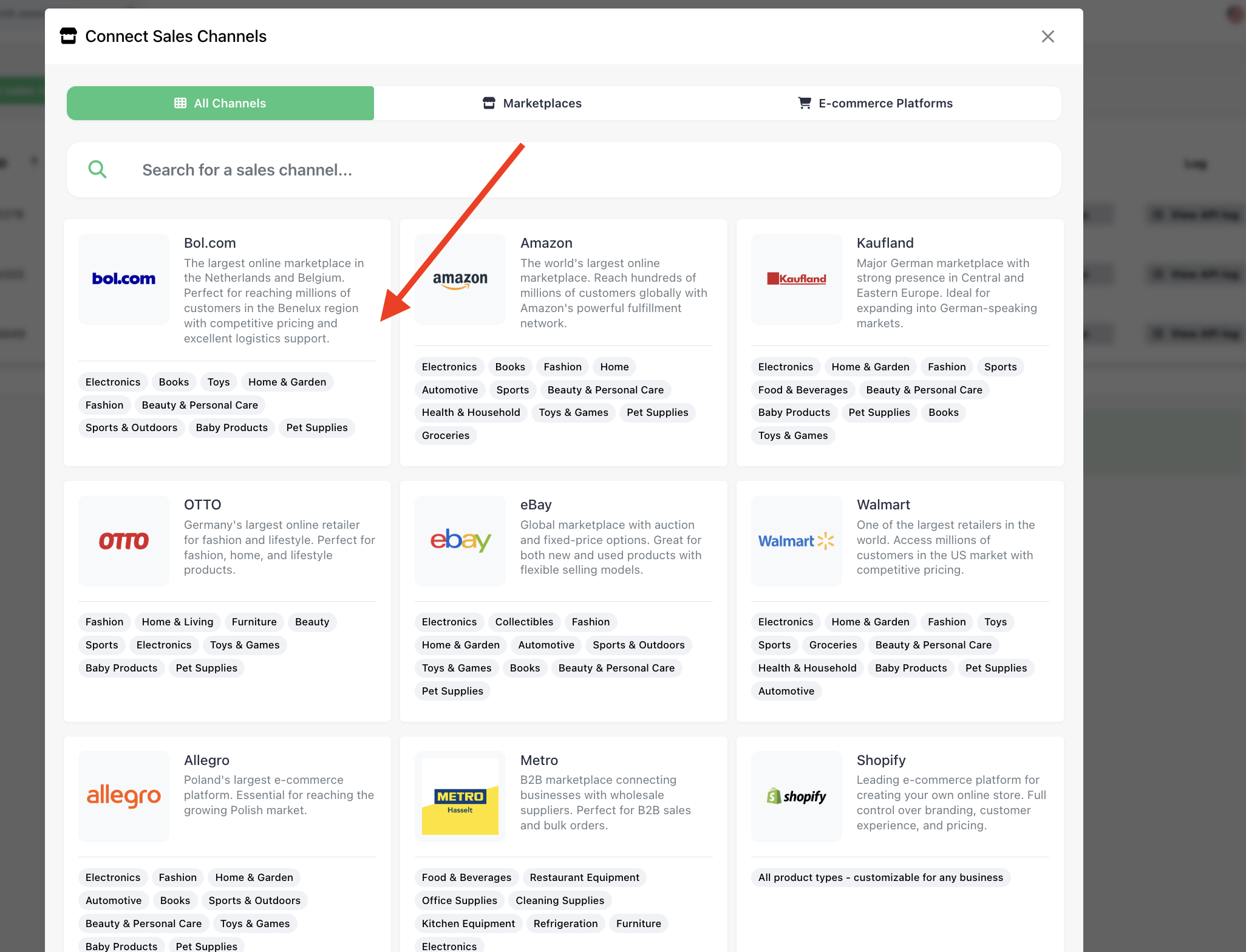
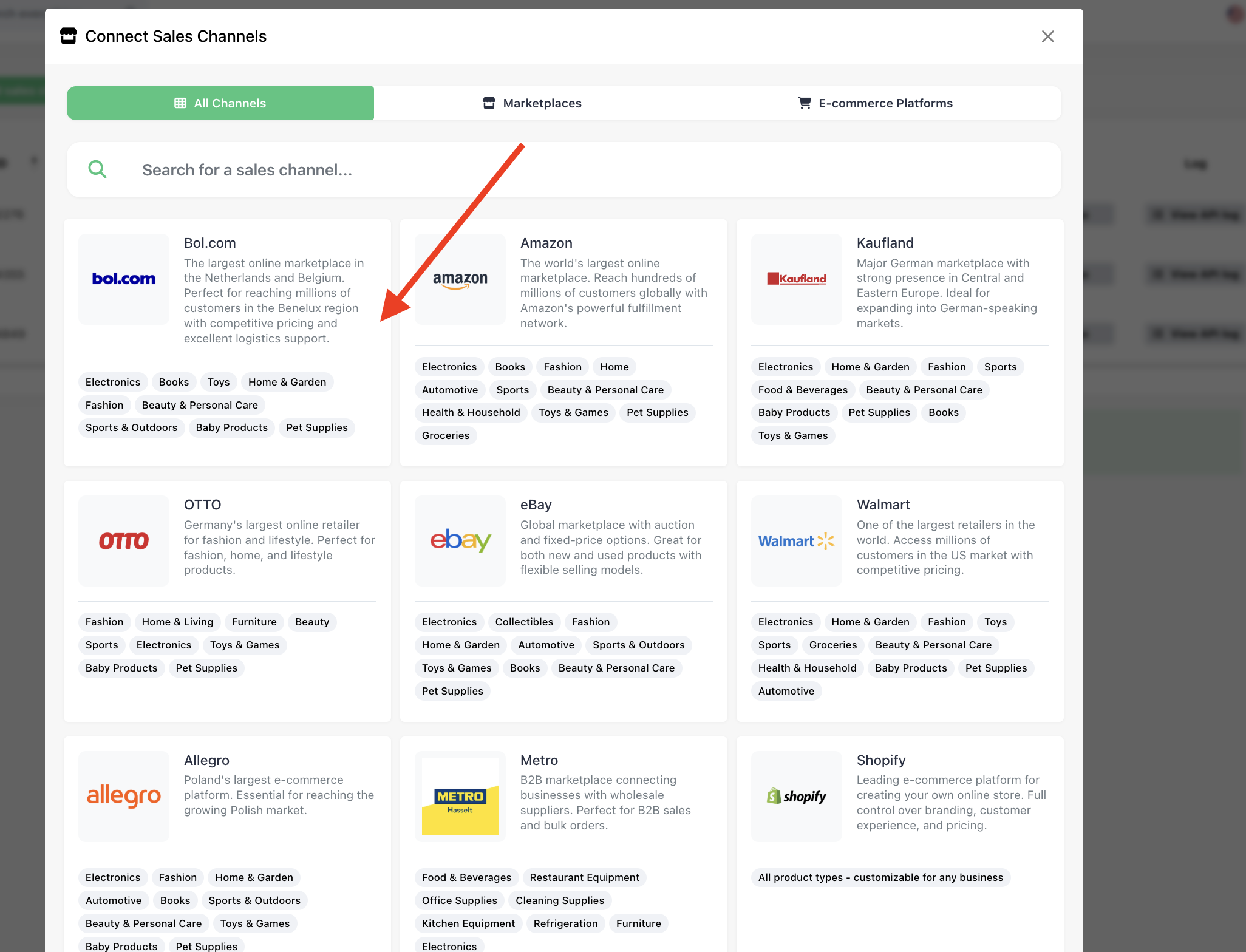
- Go to the Sales Channels page and click Add sales channel in the top left corner.
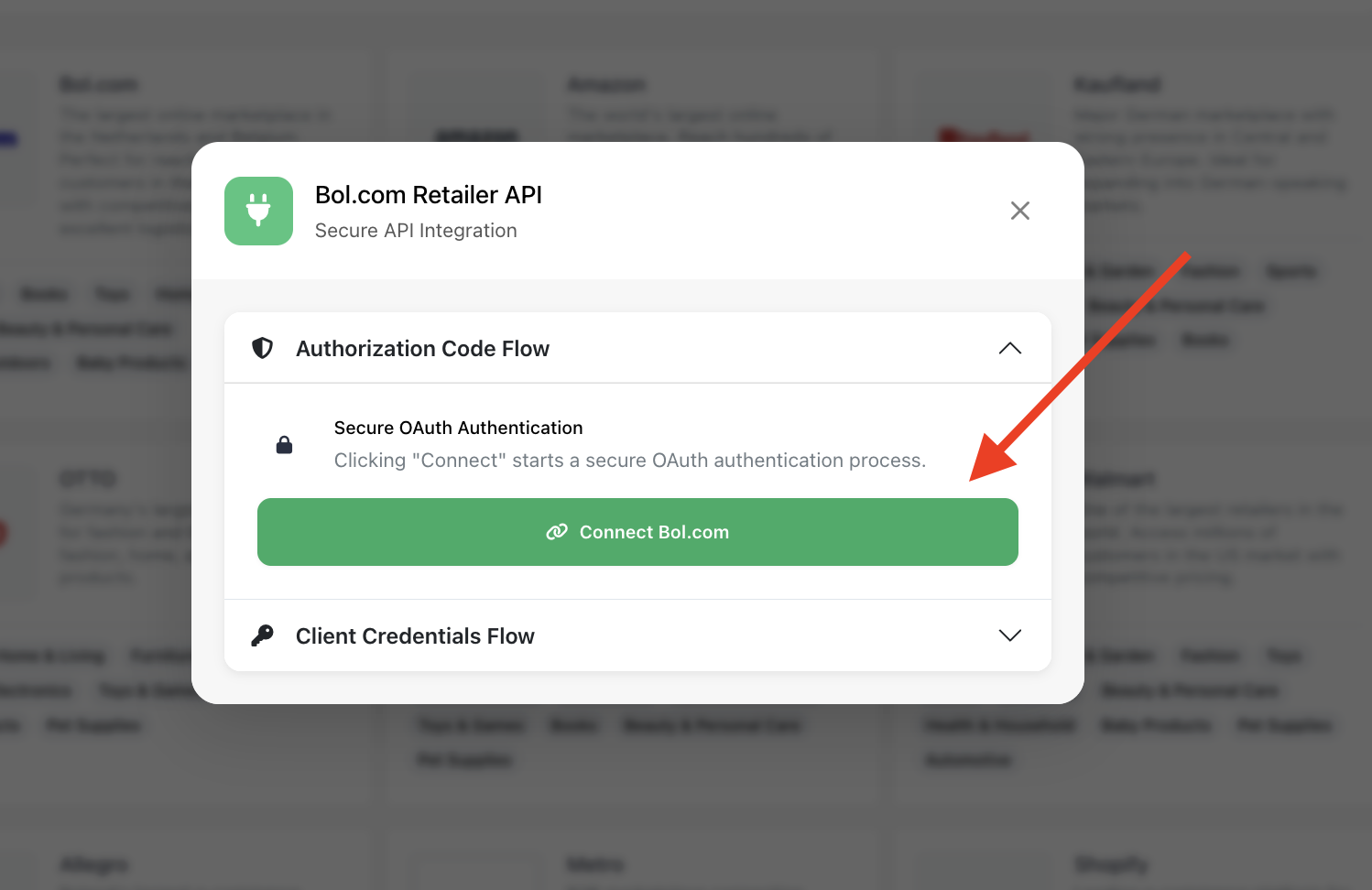
- Click on Bol.com -> Add Sales Channel -> Connect Bol.com
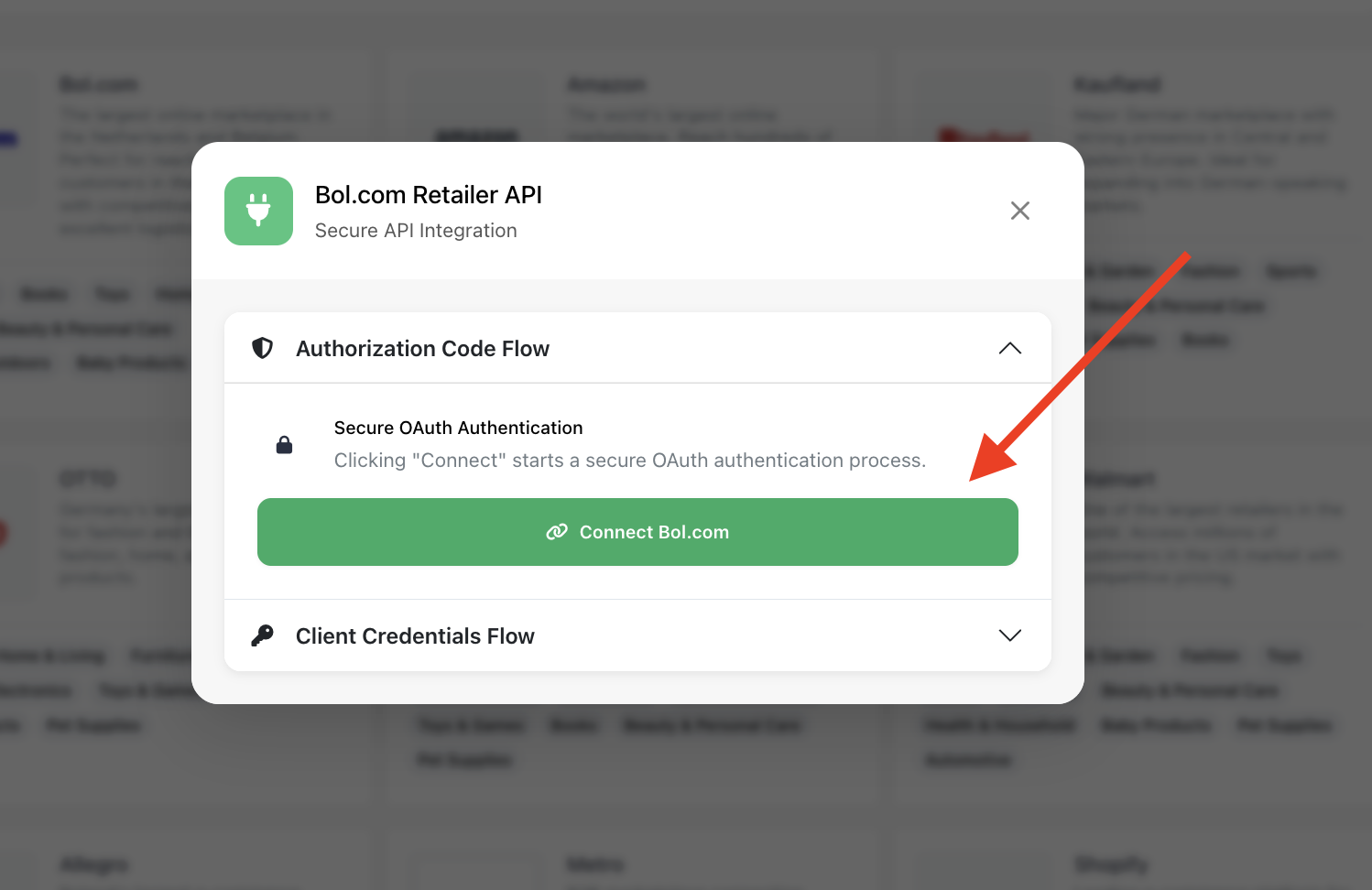
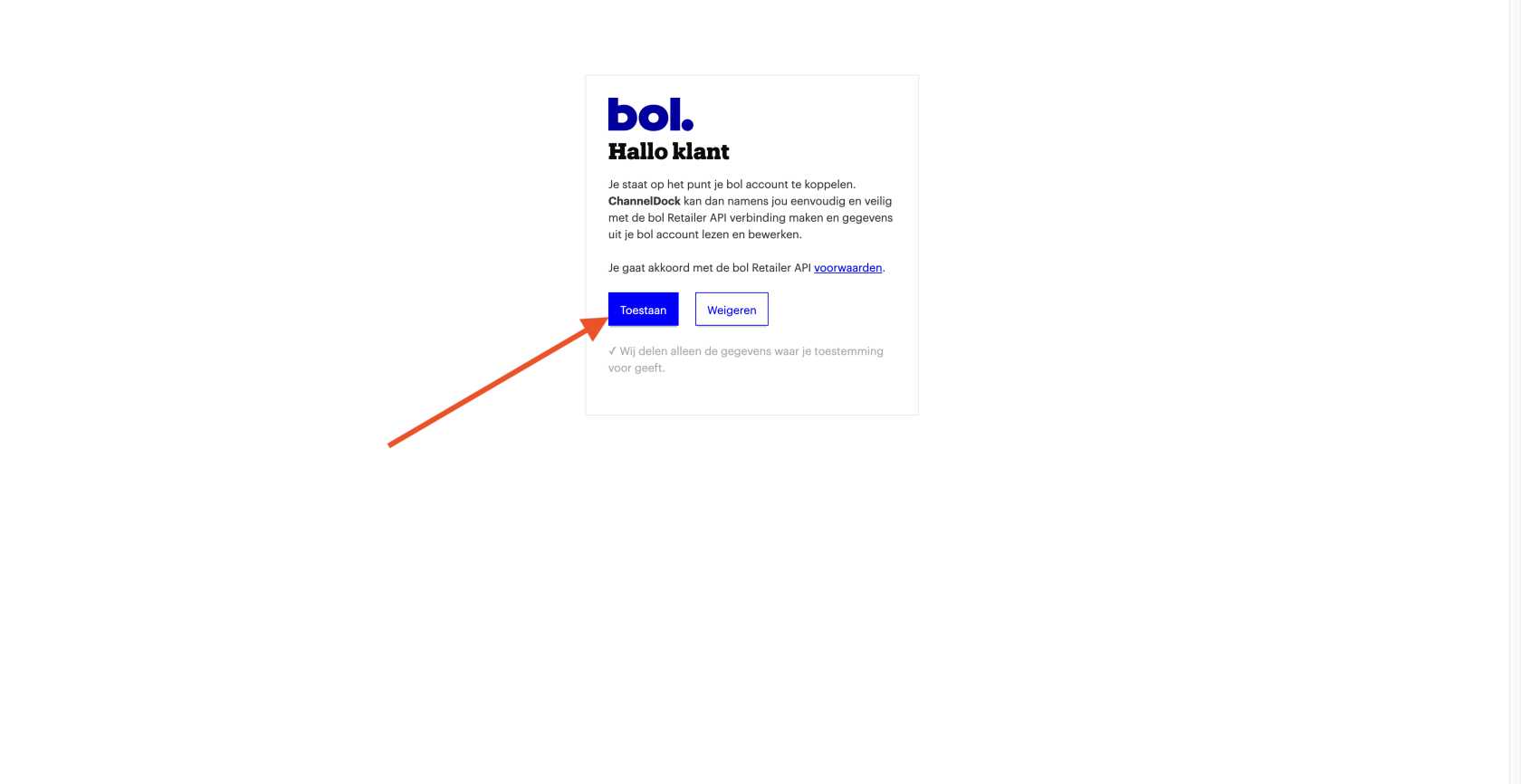
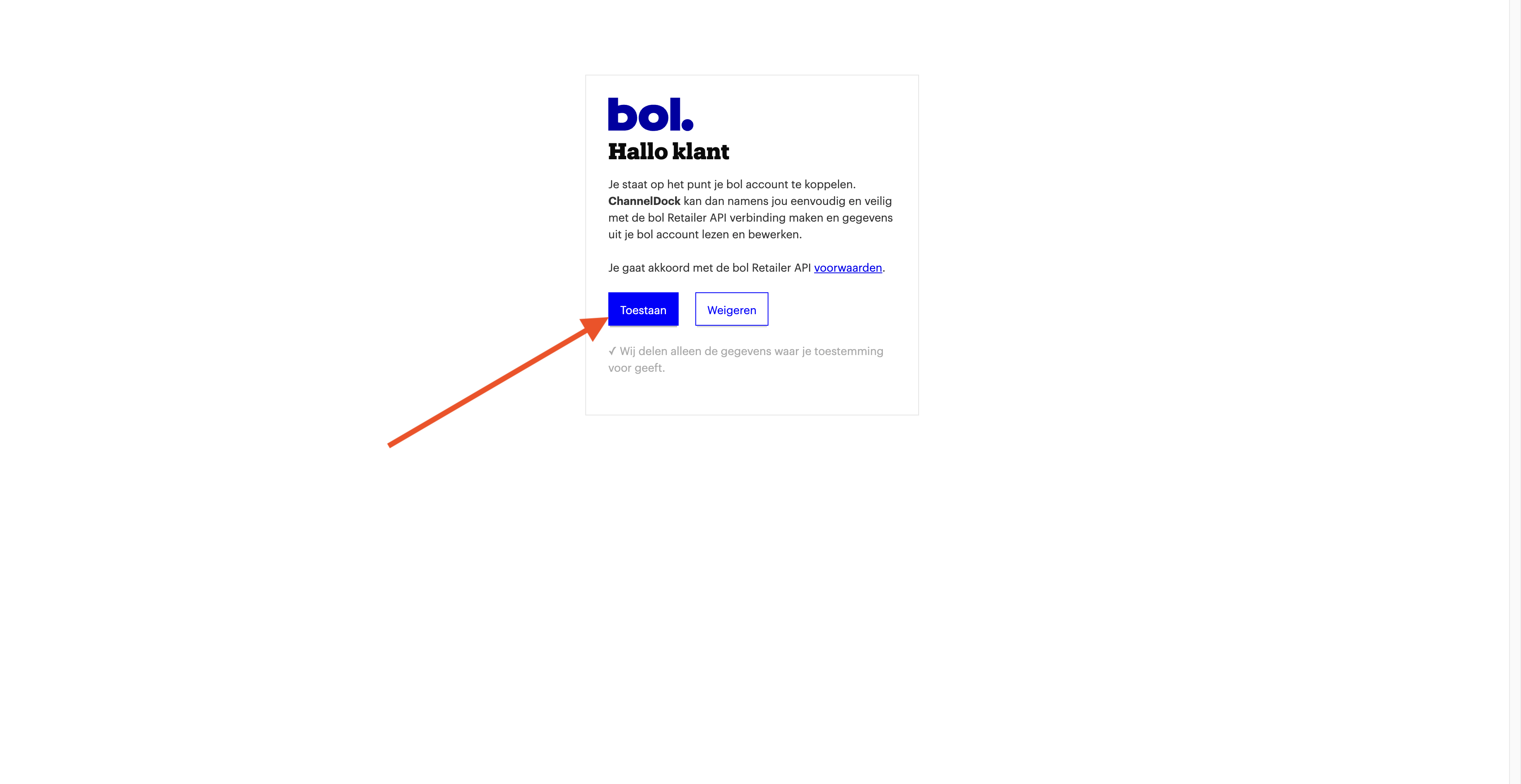
- You’ll be redirected to the Bol.com login page -> Log in to your account -> Click on Toestaan
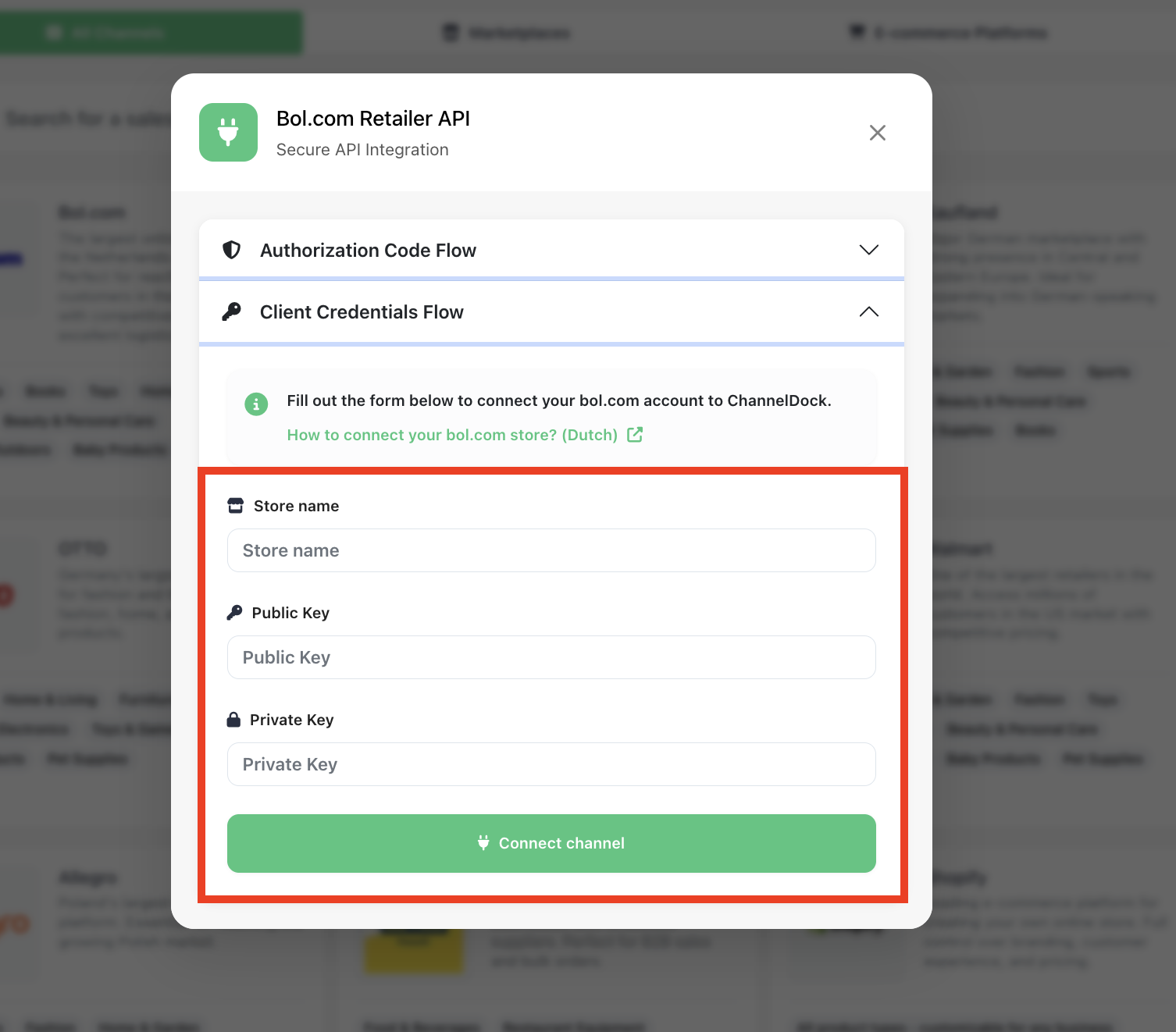
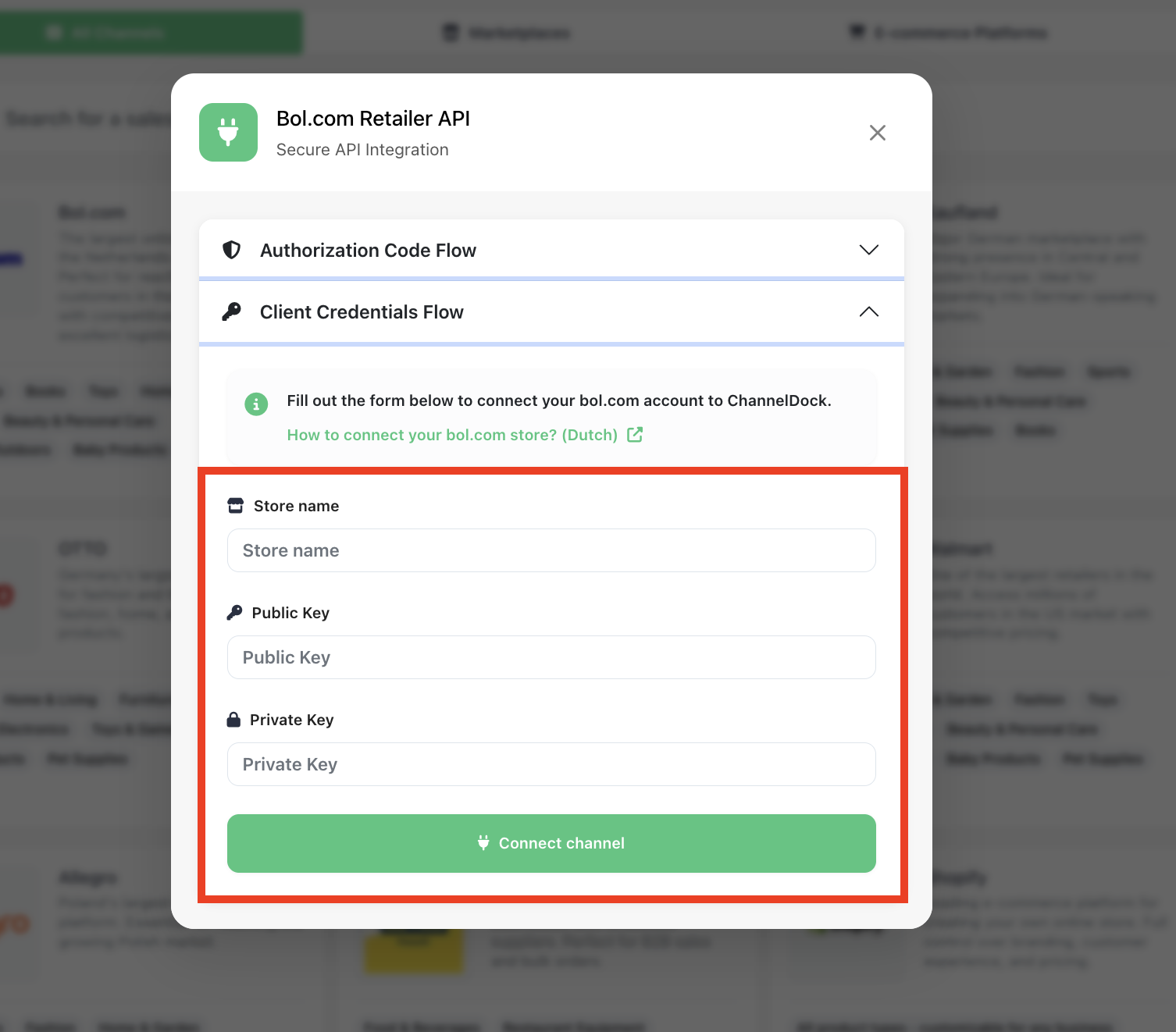
- Fill your Client Credential
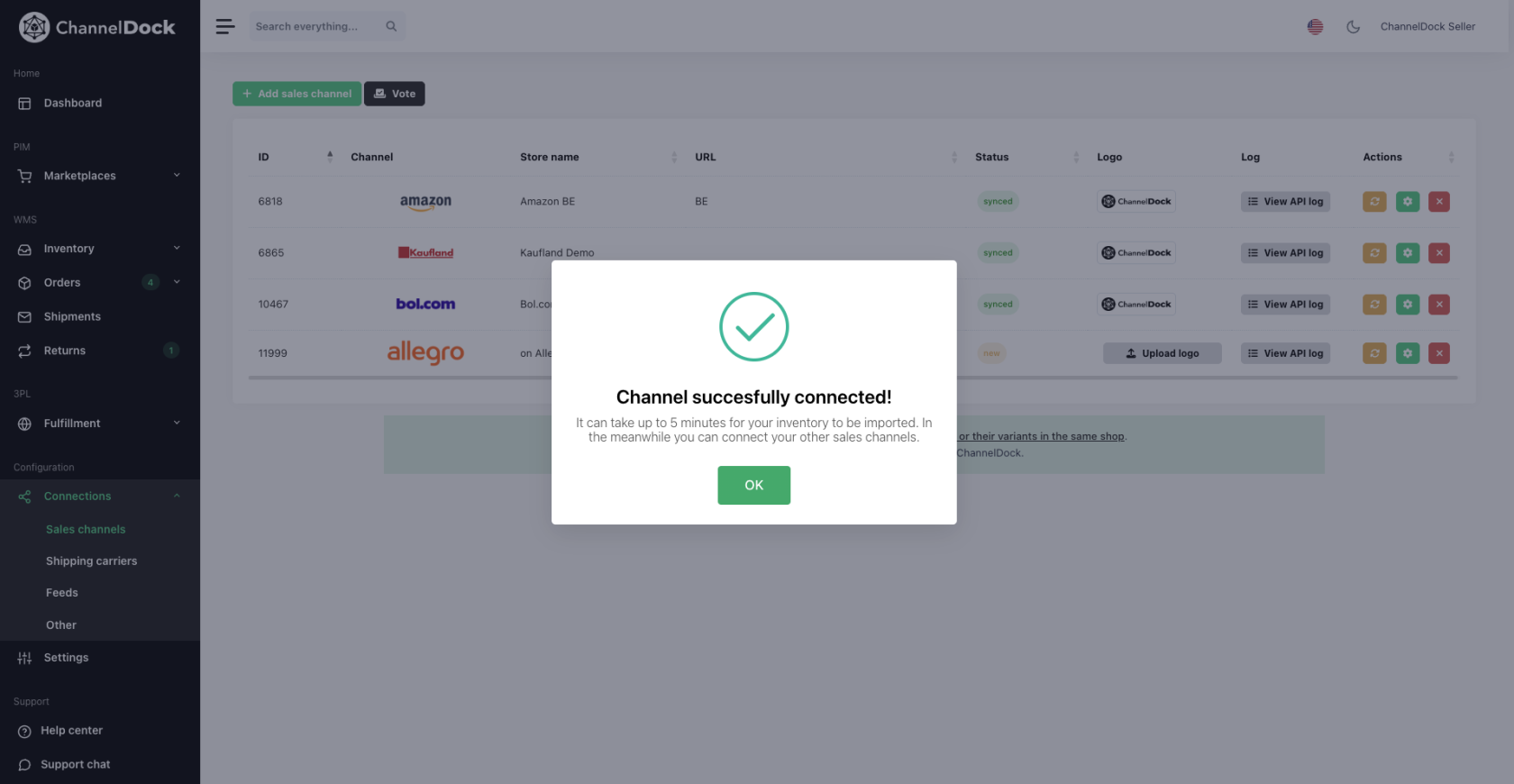
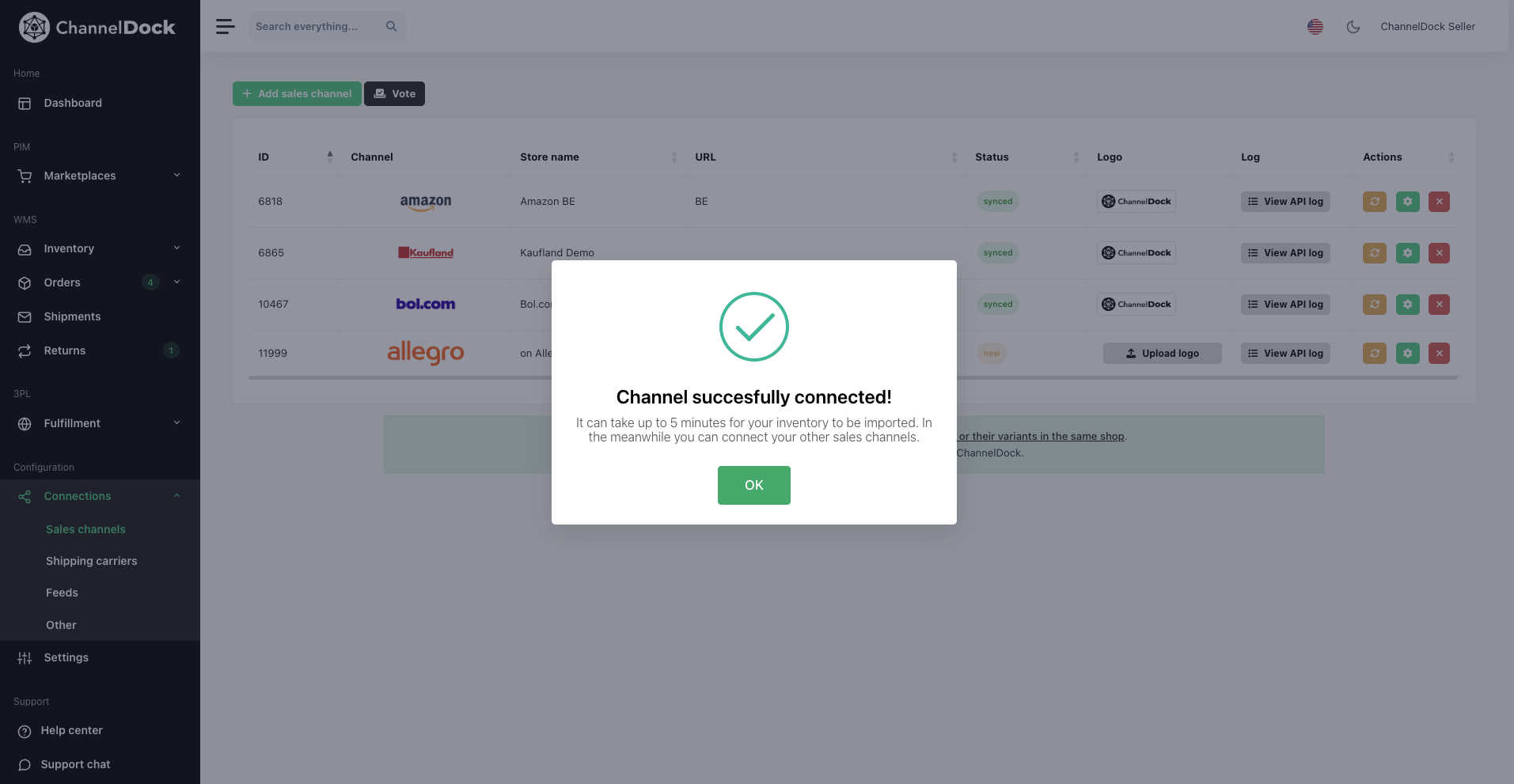
- Bol.com is now successfully connected to your ChannelDock account!
Please note: Bol Netherlands and Bol Belgium are considered two separate connections. To sync both, make sure to add them individually to your ChannelDock account.